How it works

From driveway to deposit in seven steps.

Every Build The Quote project moves through the same path. The app tells the salesperson what to do next, so a new hire sells the way your best person does.
Step 1 · Customer

Start the project in under a minute.

Name, phone, email, address, project type and lead source. That's all Build The Quote asks for, and the lead source feeds your revenue-by-marketing report later.
Garage cabinets, workbenches, wall storage, closets and pantries
Lead source captured on day one
Book the measurement right from the project
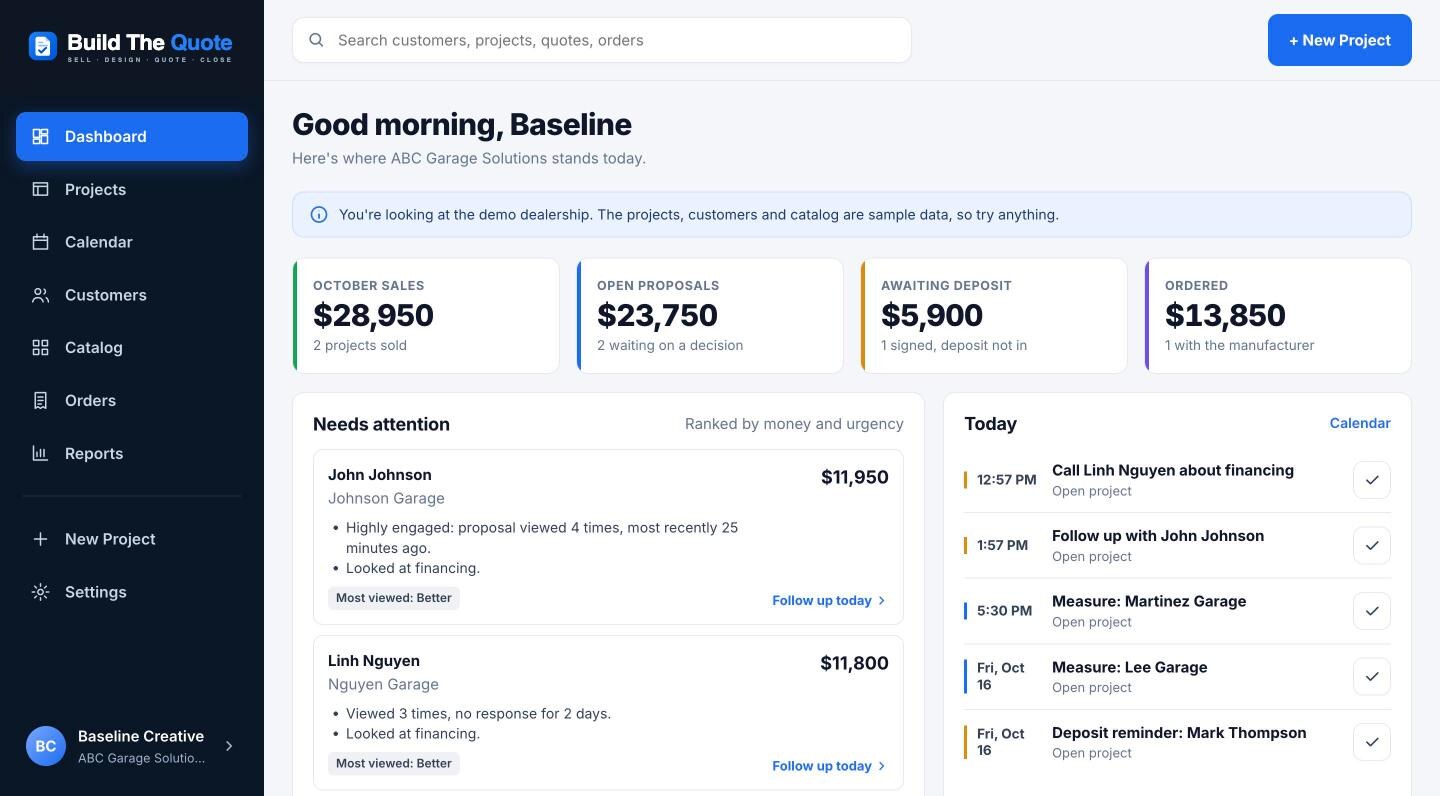
The dealer dashboard with sales, open proposals, deposits and today's appointments
Step 2 · Measure

Measure Mode, built for a tape measure, not a CAD course.

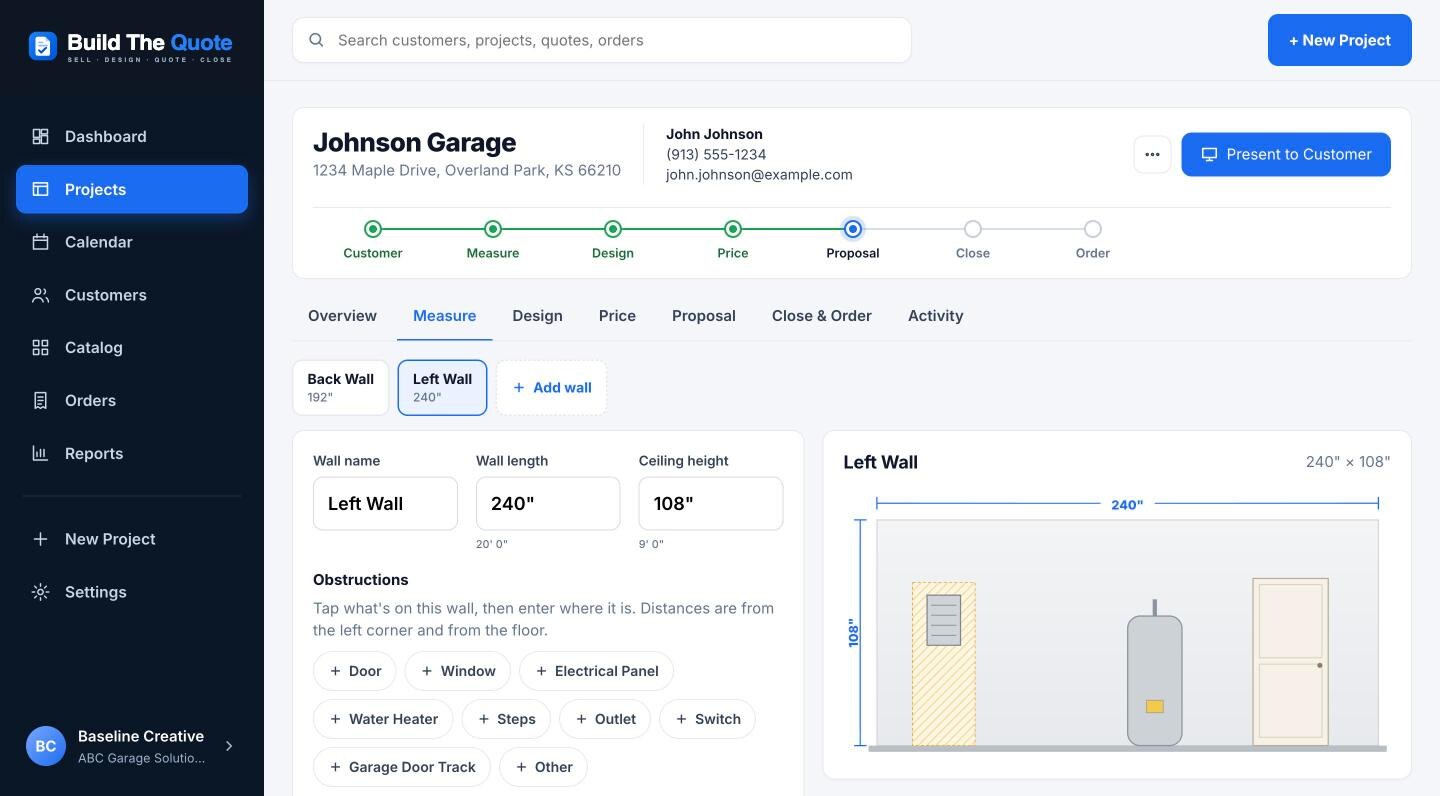
For each wall, enter the length and ceiling height in feet and inches. Tap what's on the wall (door, window, electrical panel, water heater, steps, outlets, garage door track) and enter where it is.
Type 16' 6" or 198, both work
The electrical panel's 30" clear working space is drawn for you
Add as many walls as the garage has
Measure Mode with a wall showing an electrical panel, a water heater and a door
Step 3 · Design

Tap cabinets onto the wall. Build The Quote handles the fiddly parts.

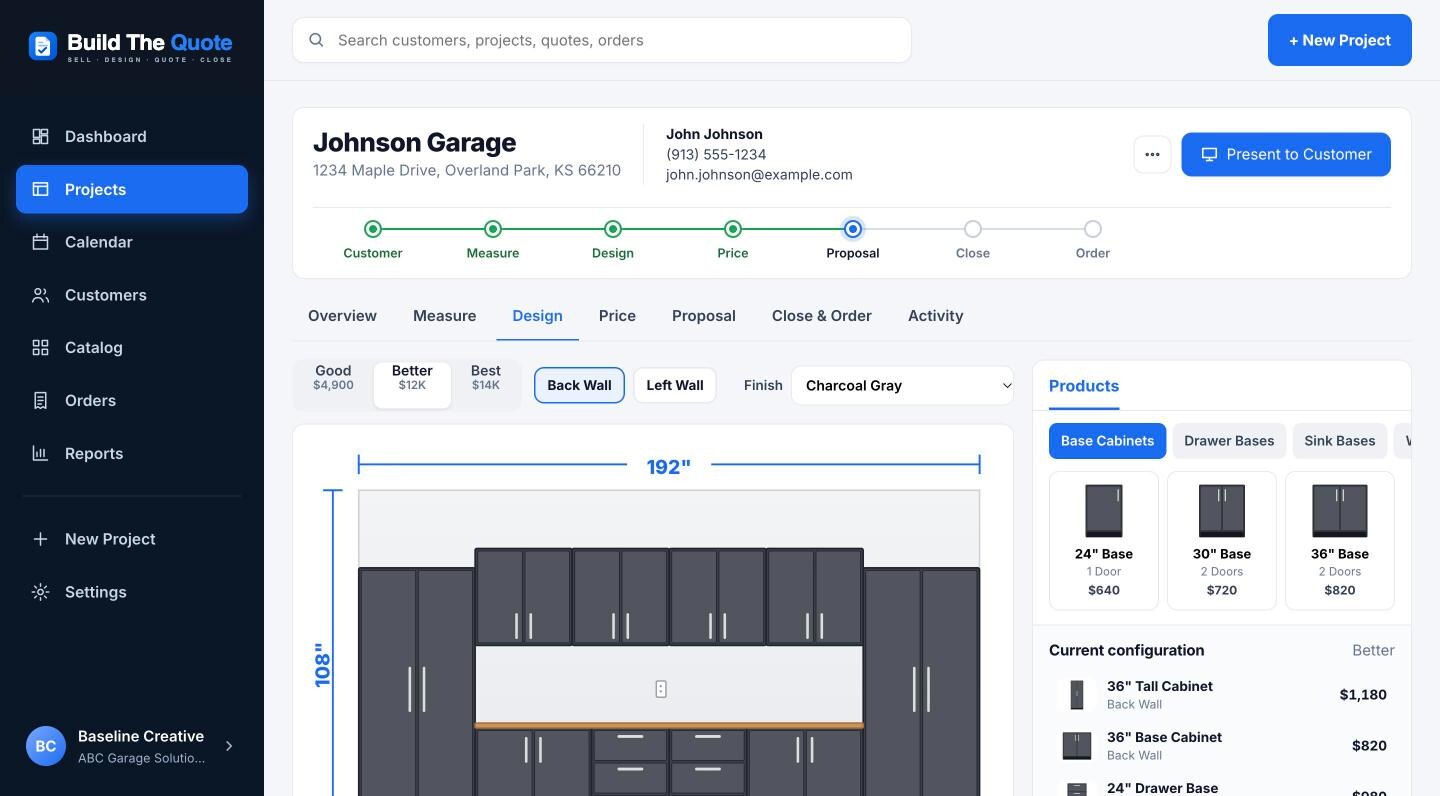
Pick from base, drawer, sink, tall and wall cabinets, workbenches and countertops. Each one snaps into the first space that fits around the obstructions, and the bar under the wall shows inches used and inches remaining.
Fillers, countertops and finished end panels suggested with one-tap fixes
Warnings for ceiling height, doors and blocked panels
Drag to adjust, nudge an inch at a time
The design screen with a wall elevation and the product library
Step 4 · Price

Three options and your margin, before you say a number.

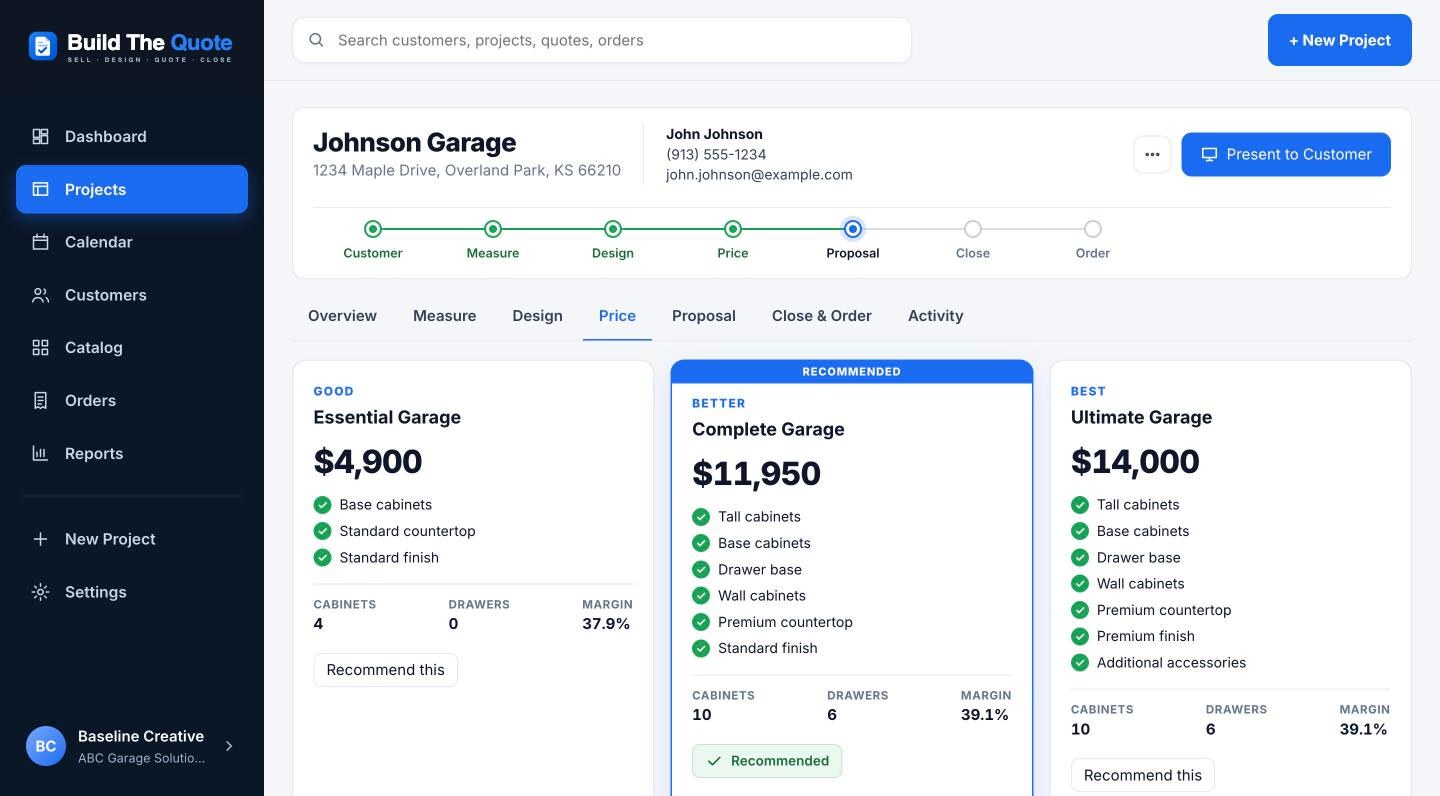
Design the Better option and let Build The Quote build an Essential option and a maximum-storage Ultimate option from it. Pricing comes from the catalog and your rules, and the economics panel shows product cost, freight, installation, commission and gross margin.
Discounts below your minimum margin go to a manager
Finish upcharges and MAP floors applied automatically
Recommend the option you'd buy
Good, Better and Best options with margins
Step 5 · Present

Hand them the iPad.

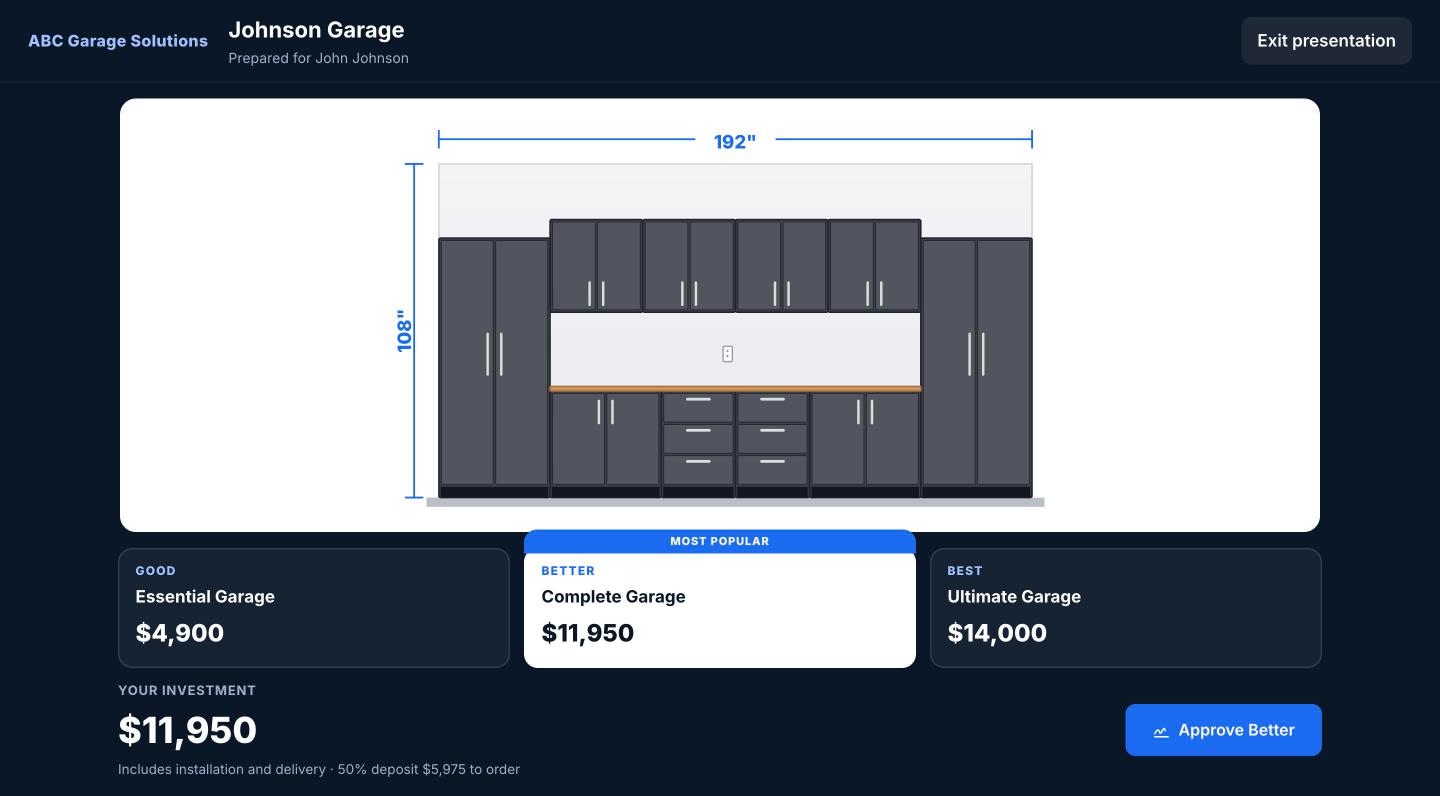
Present to Customer goes full screen, hides every internal number and walks the homeowner through their garage, wall by wall, with the three options and the investment.
No costs, margins or notes on screen
Switch options and walls with a tap
Approve right there, in person
Present to Customer mode on a dark full-screen layout
Step 6 · Propose

A proposal that looks like it came from a premium remodeler.

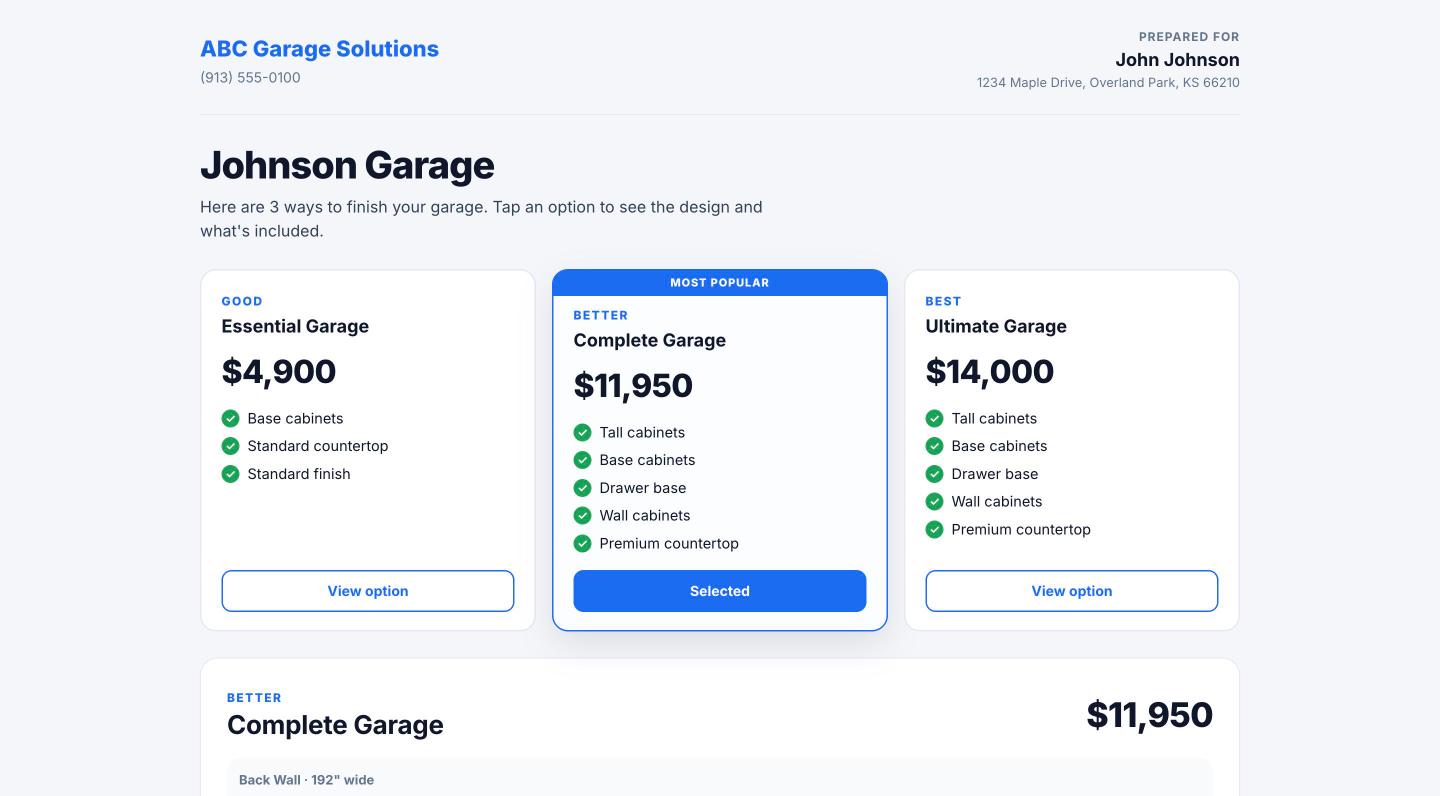
The customer gets a secure link, no account needed. They compare the options, see the elevation of every wall, read what's included and approve with a typed signature. You see every view.
Questions and change requests come back to the project
Financing link tracked when they look at it
Sending an update replaces the old link
The customer-facing proposal with three garage options
Step 7 · Close and order

Signature, deposit, purchase order.

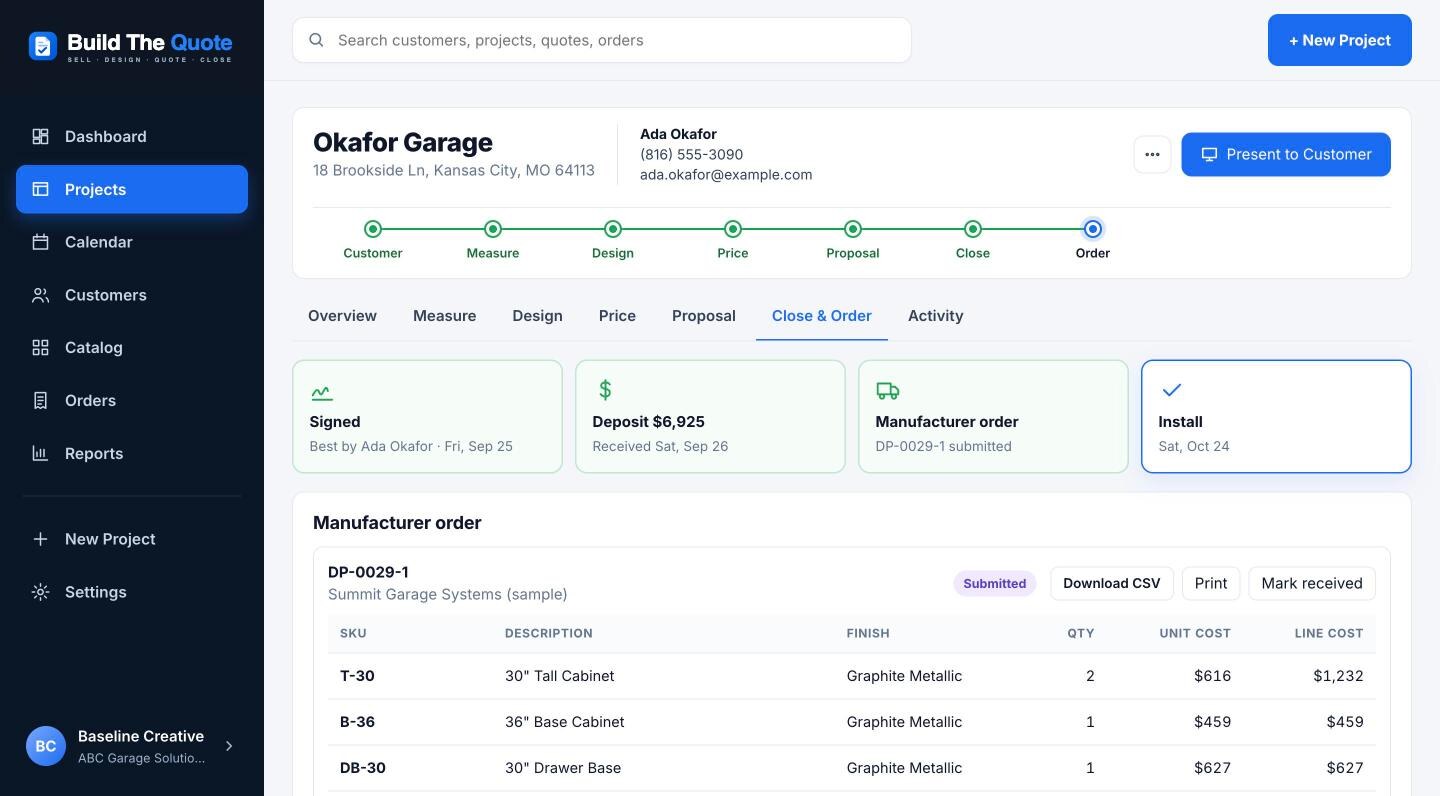
The signature moves the project to Sold and requests the deposit through your payment link. Mark it received and create the manufacturer order from exactly what the customer signed, then schedule the install.
Order lines built from the signed version, not a later edit
CSV download and print-ready purchase order
Installer sheet with everything the crew needs
A manufacturer order with SKUs, finishes and costs
Built narrow on purpose

What Build The Quote doesn't try to be.

A full 3D CAD program, an accounting package, payroll, inventory, route planning or a website builder. Those are good tools. They're just not the problem standing between a measurement and a signed proposal.

Not CAD

A clean elevation that sells, not drafting software.

Not accounting

Export what your bookkeeper needs.

Not inventory

The manufacturer ships, you install.

Not a website

Keep the site and leads you have.

Be one of the first ten dealers.

We're onboarding a small group of garage cabinet dealers to run real projects through Build The Quote and shape it with us. Pilot dealers get hands-on setup with their own catalog and pricing.
Join the pilot
© 2026 Build The Quote. Built for the people who sell, design and install garage cabinets.